This guide is for Air France Virtuel (AFRv) pilots. MFLink, MetaFlight’s tracker, has always been AFRv’s main tracker, and V3 brings a new interface and a new way to start your flights. Here is everything you need: setting up MFLink, linking SimBrief and your AFRv account, flying your AFRv flights, and growing your AFRv career and your MetaFlight career on the same flight.
Video in French · YouTube loads only when you press play
The video runs for 30 minutes. Jump straight to the part you need:
Get your AFRv key from the crew center
Download and install MFLink
Pilot settings: simulator, SimBrief, AFRv link
Fly an AFRv flight: Open Sky, then Third Party VA
Cabin announcements and life on board
MetaFlight Career and the demand zones
Licences and the 90-day rule
The dual-career trick
What comes next: Airline Manager, missions, events
Map options
On the AFRv crew center, open My account, then My profile, then Edit my profile. Copy your AFRv key and note your callsign. You will paste both into MetaFlight.
On metaflight.aero, open Download MFLink and choose Download for Windows. Install it once: MetaFlight launches it for you at dispatch.
Create your free MetaFlight account, then press Start Flight on the website. The first time, MetaFlight offers to install its desktop app: a dedicated window on your PC, separate from your browser.
Open Settings to choose your language, then your pilot settings. Pick your simulator, enter your SimBrief ID, then open the Third Party VA section: paste your AFRv callsign and key, and press Link.
While you are there, you can add your VATSIM ID, choose your OFP layout and set your units (kilograms or pounds).
Book your flight on the AFRv crew center as usual. You can generate your SimBrief flight plan right there: the AFRv flight details are already filled in. Scheduled departure and arrival times on AFRv are indicative.
Then, in MetaFlight, press Start Flight to open the Flight Terminal and follow the path below.
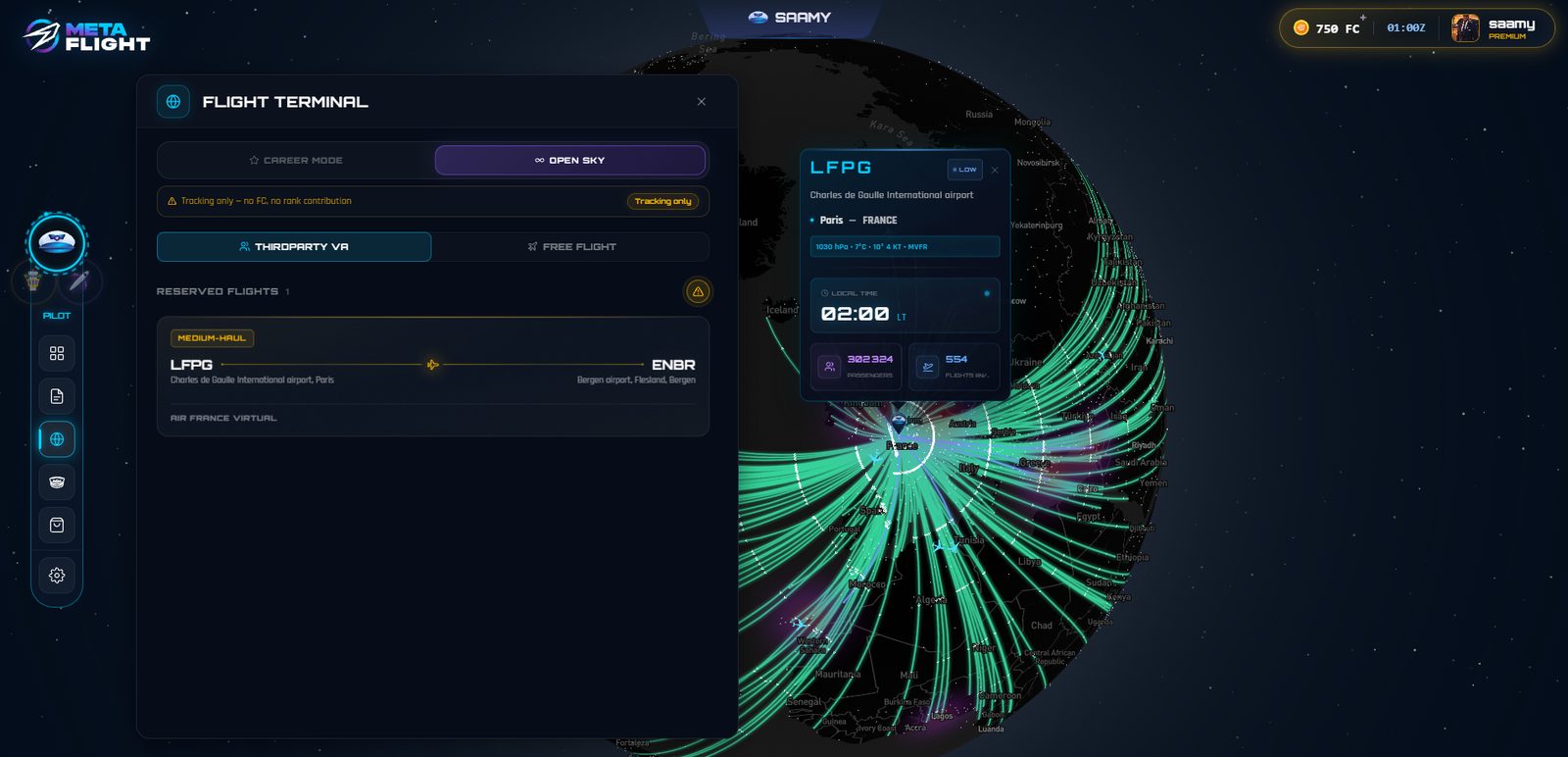
Choose Open Sky (formerly Free Flight), then the Third Party VA tab. Your AFRv bookings appear under Reserved flights. Select yours.
If you generated your SimBrief plan on AFRv, press Import OFP. Set your departure time to your real pushback time. Your cruise altitude comes from the OFP, or you can leave it on Auto.
Keep the Pax & Cargo module on to fly with simulated passengers and cargo: you handle cabin announcements, the seatbelt sign and your passengers’ mood. Turn it off if you only want tracking.
Continue to dispatch. Your browser asks to open MFLink: allow it. MFLink confirms the connection to your simulator. Make sure FSUIPC is running and that you are at the gate, engines off.
Pick your airframe and engine variant, set your passenger load, confirm loading, then press Start flight. MetaFlight detects your aircraft at the gate and the flight begins.
Your flight is recorded on both sides: in your AFRv crew center and in your MetaFlight flight log, which is far more detailed. Premium subscribers also see every event of the flight traced on the map: gear down, gear up and more.
With Pax & Cargo on, the in-flight panel puts you in charge of the cabin:
On an AFRv flight, these passengers are simulated for immersion only. In MetaFlight Career mode, the same actions count towards your career. A redesigned cabin experience is coming: your crew will handle announcements automatically, or you keep control if you prefer.
Two ways to fly, and two careers that stay separate. Air France Virtuel uses MetaFlight’s technology (the tracker and the flight log) as a third-party virtual airline. The persistent world, MetaFlight Airlines and FlightCoins belong to Career mode.
| AFRv flight | MetaFlight Career | |
|---|---|---|
| Where you start | Open Sky, then Third Party VA | Career mode |
| Tracker | MFLink or smartCARS 3 | MFLink |
| Flight log | AFRv crew center and MetaFlight | MetaFlight |
| Passengers | Simulated, for immersion | Real travellers from the persistent world |
| FlightCoins and licences | No | Yes |
| Your AFRv career | Yes | With V4 |
In MetaFlight, the Open Sky banner says it plainly: Tracking only, no FC, no rank contribution.
Career mode is where MetaFlight becomes an MMO. You create your career, choose your home base and your first licence. A licence opens a whole aircraft family: the A320 licence, for example, covers the A318, A319, A320 and A321.
From your base, MetaFlight lists every destination served from that airport in real life. Passengers here are not generated for each flight: they are a fixed population that actually travels from airport to airport. Some are connecting, some are heading home, some are on holiday and will fly back in the coming days. Read more in Inside the World Flight Market.
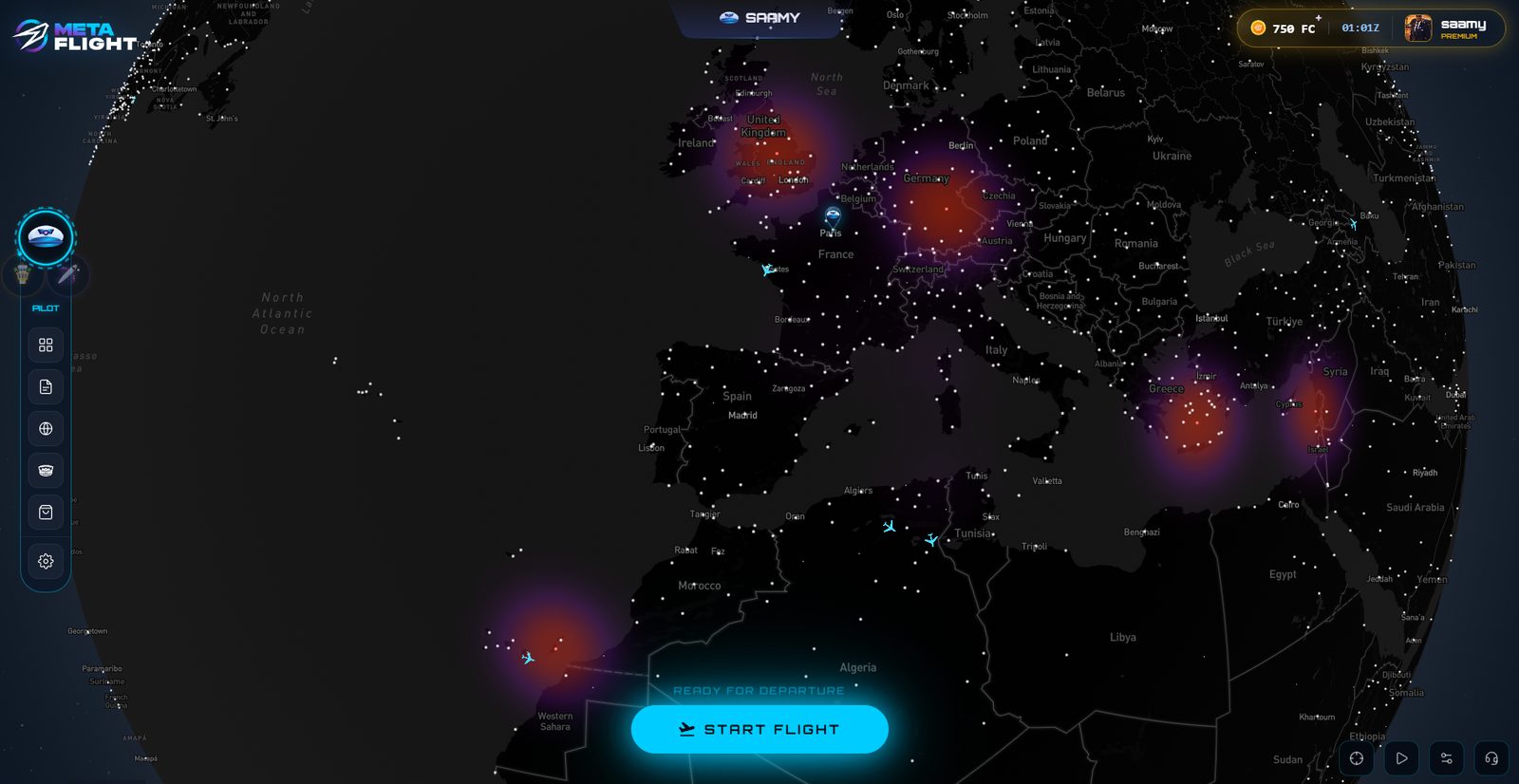
They show passenger demand. The brighter the zone, the more travellers are waiting. In the video, Fuerteventura glows: about 383 passengers are waiting for Helsinki, against roughly 197 on an average day. Real-world events drive these peaks, here a festival on the island.
Every flight in the list shows its load factor multiplier and the number of passengers waiting. A 1.5x multiplier means you earn one and a half times your base pay on that leg. Before you take off, MetaFlight shows your estimated earnings: gross, then net after insurance, medical, handling and passport costs. Passport costs apply once, the first time you fly to a new country. Subscribers earn more on every leg.
FlightCoins buy licences in the MetaFlight store, and every licence expires 90 days after purchase. Fly enough to renew it. Free pilots can keep a licence active, or more than one: it depends on how often you fly and how well you read the market. Target the routes under tension and your earnings climb. More licences will be added with future versions.
Book your flight on the crew center, open smartCARS 3, log in with your AFRv account (search for Air France Virtuel in the airline list) and start your booked flight.
In MetaFlight, press Start Flight, choose Career mode and select the same route. Pick an aircraft covered by your licence and able to fly that distance.
In Career mode, your passenger count and payload come from the persistent world and cannot be edited. That is why the OFP is generated in MetaFlight, so the numbers match. If you already built your plan on AFRv, press Fly without OFP. Importing an external OFP, as long as passengers, departure and arrival match, is coming in a future version.
V3 is the start. With V4 and Airline Manager, players will create and run their own virtual airlines, recruit real pilots and AI pilots, and Air France Virtuel will join the MetaFlight world natively. You will be able to fly for MetaFlight Airlines, for the airline you create, or for another virtual airline. Missions, challenges and event flights drawn from real-world events are on the way too. One persistent world, several roles: pilot, airline manager and, later, airport operator.
Book your flight on the AFRv crew center, then in MetaFlight press Start Flight, choose Open Sky and open the Third Party VA tab. Your AFRv bookings appear there: select yours, import your OFP and continue to dispatch. MFLink records the flight for AFRv and for MetaFlight.
No. AFRv flights are tracked in Open Sky, with simulated passengers, and count for your AFRv career. FlightCoins, licences and the persistent passenger world belong to MetaFlight Career mode.
Yes. Track your AFRv flight with smartCARS 3, and fly the same route in MetaFlight Career mode with MFLink. Both careers move forward on the same flight.
No. MFLink is AFRv’s main tracker, but smartCARS 3 remains available. Nothing forces you to switch.
MFLink is a free Windows client for Microsoft Flight Simulator 2024 and 2020, X-Plane 11 and 12, and Prepar3D. MSFS requires FSUIPC 7; X-Plane uses the XPUIPC plugin.
With MetaFlight V4 and Airline Manager. Until then, AFRv is a third-party virtual airline that uses MetaFlight’s tracker and flight log.
MetaFlight is in Early Access: V3 runs as an open beta, so you may meet bugs and adjustments along the way.
Ready for departure
Create your pilot, pick a route the passengers actually want, and let every flight count.