Flight recorder files contain technical logs from the MetaFlight application.
These files help our support team understand and investigate your issue.
If a support agent asks you for these files, please follow the steps below.
The MetaFlight log files are stored in your MetaFlight installation folder.
To access them:
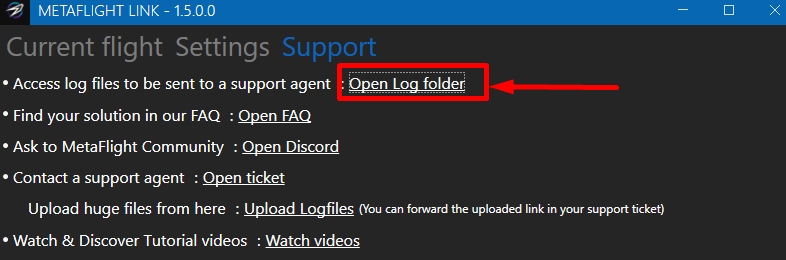
In this folder, you will find:
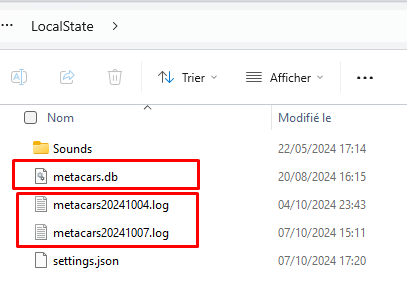
The log files contain technical information and logs from the MetaFlight application, and the metacars.db file contains flight data enabling you to reproduce your flight.
We suggest the following site for uploading your file: https://www.swisstransfer.com
You can send the files to the support team in one of the following ways:
We recommend using SwissTransfer for large files.
Once the files are uploaded, simply paste the download link into your support ticket.